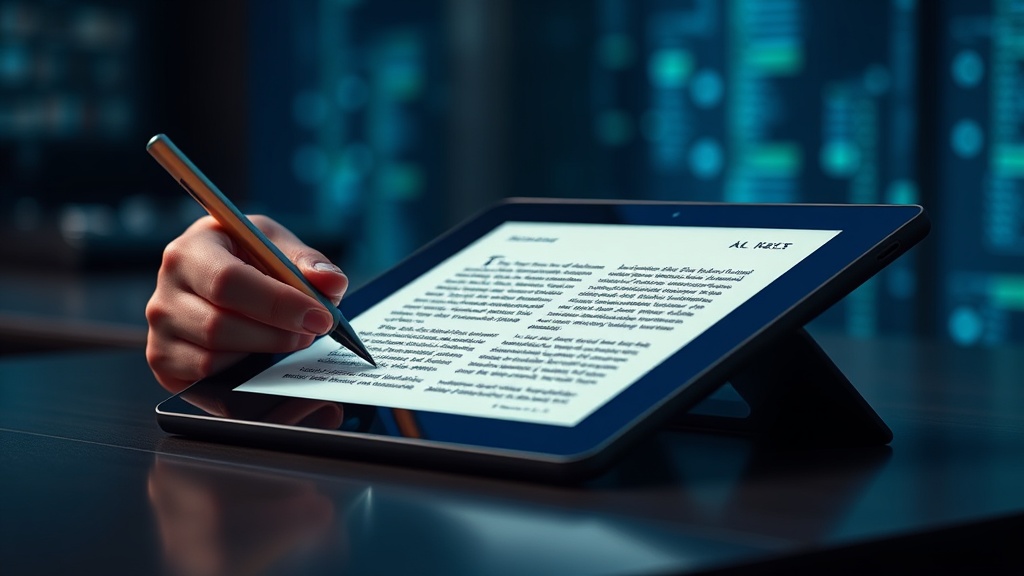
7 High-Performance E-Ink Tablets for Digital Note-Taking and Focused Reading

reMarkable 2: The Purest Writing Experience
Onyx Boox Note Air3: The Android-Powered Powerhouse
Kindle Scribe: The Best for Avid Readers
Supernote Nomad: The Precision Tool for Organizers
Boox Tab Ultra: High-Performance E-Ink with Camera
PocketBook InkPad: Versatility Meets Durability
Amazon Kindle Paperwhite: The Budget Entry Point
This guide identifies seven high-performance E-Ink tablets optimized for digital note-taking and distraction-free reading, evaluated based on latency, screen refresh rates, and ecosystem compatibility. You will learn which devices offer the best stylus precision for professional workflows and which ones are merely glorified e-readers with a stylus attachment.
The E-Ink market has shifted. We are no longer just looking at basic Kindle devices for reading; we are looking at sophisticated productivity tools designed to replace the legal pad and the heavy technical manual. When choosing a device, ignore the marketing buzzwords about "paper-like feel" and look at the technical specifications: refresh rate (Hz), Wacom digitizer integration, and the ability to handle complex PDF annotations.
1. reMarkable 2: The Minimalist Productivity Specialist
The reMarkable 2 is built for a singular purpose: removing the friction between thought and text. It lacks a backlight, which is a deliberate design choice to prevent the blue-light distractions found on iPads. In my testing, the latency is remarkably low, providing a tactile sensation that closely mimics a high-quality fineliner pen on heavy-weight paper.
Technical Breakdown
- Display: 10.3-inch monochrome E-Ink Canvas display.
- Latency: Extremely low, optimized for handwriting rather than typing.
- The Catch: You must factor in the cost of the "Connect" subscription to get full cloud synchronization features. Without it, the device feels like an island.
If your workflow involves heavy sketching or long-form journaling without the need for a web browser or email, this is the gold standard. However, if you need to search the web for a reference while taking notes, this device will frustrate you. It is a tool for focus, not a multi-tool for multitasking.
2. Boox Note Air3 C: The Colorized Powerhouse
The Boox Note Air3 C breaks the monochrome mold by utilizing Kaleido 3 color E-Ink technology. This is a critical distinction for professionals who need to view color-coded charts, highlighted text in different colors, or complex diagrams in technical manuals. Unlike the reMarkable, this device runs on a modified Android 11 OS, giving you access to the Google Play Store.
Why It Stands Out
The ability to run apps like Microsoft OneNote or Evernote directly on the device makes it a much more versatile tool for those who need to sync with existing enterprise ecosystems. The color depth is sufficient for reading highlighted academic papers, though do not expect the vibrancy of an OLED screen. The colors are muted, as is the nature of E-Ink.
Pro Tip: Because this runs Android, battery management is key. To avoid frequent charging, disable background processes for non-essential apps, much like optimizing your smartphone battery life.
3. Supernote Nomad: The Best for Organized Note-Takers
The Supernote Nomad (A6X2) targets the power user who prioritizes organization over screen real estate. While the screen is smaller at 7.8 inches, the software implementation of "titles" and "keywords" is superior to any other device on this list. You can create digital index cards and link notes to specific headers, creating a non-linear way to organize thoughts.
The Workflow Advantage
The Nomad excels in "granular organization." If you are a researcher or a student who needs to tag specific sections of a notebook for later retrieval, the Supernote's ability to turn handwritten words into searchable metadata is a game-changer. The hardware feels industrial and robust, designed for someone who carries their notebook in a pocket or a small tech pouch daily.
4. Kindle Scribe: The Best for Pure Reading and Occasional Annotations
Amazon finally entered the high-end note-taking space with the Kindle Scribe. It features a 300 ppi display that is arguably the crispest in the industry. However, the Scribe is a specialized tool. It is an evolution of the Kindle ecosystem rather than a dedicated notebook replacement.
The Limitations
While the writing experience is smooth, the software is restrictive. You can write on notebooks and annotate certain Kindle books, but the ability to manage complex file structures or sync with third-party productivity suites like Notion or Obsidian is non-existent. It is the best choice for professionals who already have a massive library of Amazon books and want to jot down notes during a long-haul flight or a commute.
5. Boox Tab Ultra: The Professional Tablet Replacement
If the Note Air3 C is for color, the Boox Tab Ultra is for raw power. This device includes a built-in camera and a more robust processor, making it a legitimate piece of hardware for field professionals. The inclusion of a camera allows for document scanning directly into your notebooks—a feature that is highly useful for engineers or architects on-site.
Performance Specs
- Processor: High-speed CPU capable of handling larger PDF files without lag.
- Connectivity: Full Android ecosystem with optimized BSR (Boox Super Refresh) technology to reduce ghosting during scrolling.
- Best Use Case: Fieldwork where you need to snap a photo of a physical document and immediately annotate it with a stylus.
6. Onyx Boox Max Lumi: The Large-Format Specialist
For those who deal with large-format technical drawings, blueprints, or massive PDF textbooks, the Onyx Boox Max Lumi is the necessary choice. With a 13.3-inch screen, it approaches the size of a standard sheet of paper. This is not a device you carry in a bag; it is a device that sits on a desk or a drafting table.
The large surface area eliminates the need for constant zooming and panning, which is the primary friction point when using smaller E-Ink tablets for technical work. The sheer scale of the display makes it an excellent digital whiteboard for brainstorming sessions or reviewing architectural layouts.
7. Remarkable Paper Pro: The Next Generation of Monochrome
The latest iteration in the reMarkable line focuses on improving the contrast and the tactile response. The "Paper Pro" aims to bridge the gap between the standard reMarkable 2 and a more premium, high-contrast experience. It features a more sophisticated front light system that allows for reading in low-light environments without the harshness of a traditional tablet backlight.
This device is for the user who found the original reMarkable 2 too "dim" or too limited in its ability to work in varied lighting conditions. It maintains the strict "no-distraction" philosophy while offering a more refined hardware experience for long-form writing sessions in a dimly lit study or a plane cabin.
Summary Comparison Table
| Device | Primary Strength | OS / Ecosystem | Best For |
|---|---|---|---|
| reMarkable 2 | Minimalist Focus | Proprietary | Journaling & Distraction-Free Writing |
| Boox Note Air3 C | Color Display | Android 11 | Annotating Color Charts & Diagrams |
| Supernote Nomad | Organization | Custom Android | Researchers & Power Organizers |
| Kindle Scribe | Reading Experience | Amazon/Kindle | Heavy Readers & Casual Notetakers|
| Boox Tab Ultra | Versatility/Camera | Android 11 | Field Work & Document Scanning |
| Boox Max Lumi | Screen Size | Android | Blueprints & Large PDFs |
| reMarkable Paper Pro | Contrast/Lighting | Proprietary | Premium Monochrome Experience |
Final Technical Advice
Before you commit to any of these devices, you must audit your current digital workflow. If your life lives in Google Docs, Microsoft Teams, and Slack, a proprietary device like the reMarkable will become a digital silo that requires constant manual exporting and importing. You will spend more time moving files than actually working.
If you require a seamless transition from your desktop to your tablet, prioritize the Boox devices. The Android-based architecture ensures that your files are where you left them. However, if your goal is to escape the "notification fatigue" of modern computing, the specialized, restricted nature of the reMarkable or the Kindle Scribe is actually your greatest asset. Choose the device based on the friction you want to eliminate, not the features you think you might need one day.