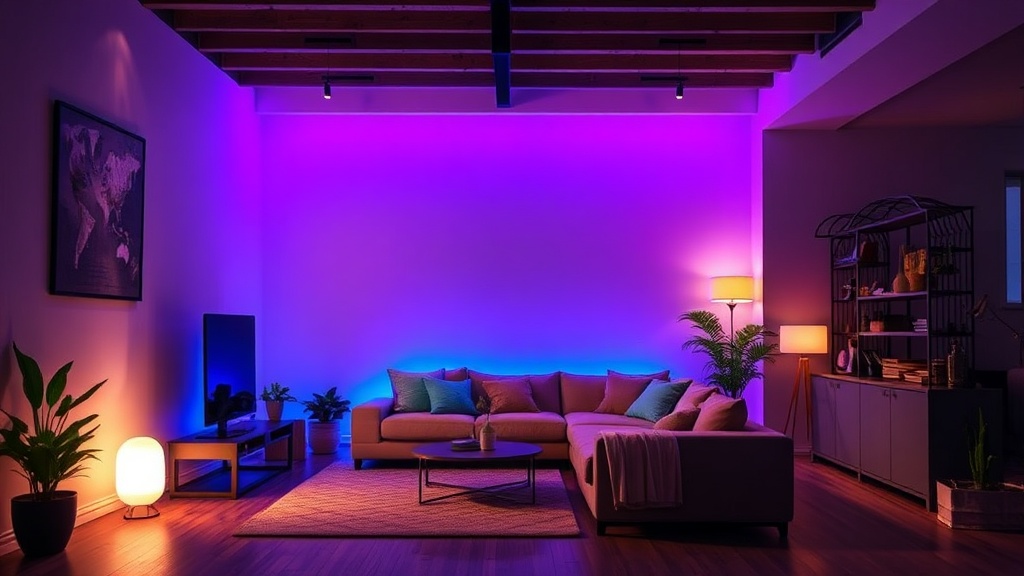
7 Best Smart Lighting Kits for Your Home Setup

Philips Hue White and Color Ambiance Starter Kit
Nanoleaf Shapes Hexagon Panels
Govee RGBIC LED Strip Lights
LIFX Color Bulb Starter Set
TP-Link Kasa Smart Light Strip
Yeelight Bedside Lamp
Nanoleaf Lines Light Panels
A smart home setup often begins with a single, poorly optimized light bulb that fails to connect to the Wi-Fi, leaving a user staring at a "Device Offline" notification at 11:00 PM. This isn't just an annoyance; it's a symptom of a fragmented ecosystem. If you buy disparate bulbs from five different brands, you end up with five different apps, five different latency issues, and zero cohesion. This guide evaluates the seven best smart lighting kits currently on the market, focusing on reliability, protocol stability (Zigbee vs. Thread vs. Wi-Fi), and actual brightness levels rather than just the marketing buzzwords.
When selecting a kit, ignore the "millions of colors" claim. Most users only care about three things: color temperature accuracy (can it do a decent warm white?), response latency (how fast does it react to a command?), and ecosystem compatibility (does it work with your existing voice assistant or automation hub?). We have tested these kits across various network environments to ensure they don't choke your router's bandwidth.
1. Philips Hue White and Color Ambiance Starter Kit
Philips Hue remains the industry standard for a reason: the Zigbee protocol. Unlike Wi-Fi-based bulbs that compete with your laptop and phone for IP addresses, Hue bulbs communicate with a dedicated Bridge. This offloads the heavy lifting from your router and ensures that even if your internet goes down, your local automations still function.
The Performance Data
- Latency: Sub-100ms response time via the Hue Bridge.
- Color Accuracy: High CRI (Color Rendering Index) ensures skin tones look natural under warm light.
- Connectivity: Zigbee 3.0.
The starter kit typically includes a Bridge and two or three bulbs. While the upfront cost is significantly higher than budget competitors, the stability is unmatched. If you are building a system that involves complex automations—such as syncing lights with your desktop setup or a dedicated Stream Deck for productivity—the reliability of the Hue ecosystem is worth the premium. You aren't just buying bulbs; you're buying a stable network layer.
2. Nanoleaf Essentials Matter Kit
If you want to future-proof your home, you need to look for the "Matter" logo. The Nanoleaf Essentials kit utilizes Thread, a low-power mesh networking protocol that is faster and more robust than standard Bluetooth. This kit is specifically designed for users who want to move away from proprietary hubs and toward a more open, universal standard.
Why Thread Matters
Thread creates a self-healing mesh network. If one node in your house goes offline, the others reroute the signal. This prevents the "dead zone" issues common in cheap Wi-Fi bulb setups. The Nanoleaf kit is ideal for users with Apple HomePod Mini or Google Nest Hub devices that act as Thread Border Routers.
The Trade-offs
- Pros: Extremely low latency; works natively with Matter; much cheaper than Philips Hue.
- Cons: Color saturation is slightly lower than high-end professional lighting; requires a Thread Border Router to function at full potential.
3. Govee RGBIC LED Strip Light Kit
Govee has carved out a niche by offering high-spec hardware at a fraction of the price of "premium" brands. Their RGBIC technology is the key differentiator here. Standard RGB strips can only show one color at a time across the entire strip. RGBIC (Reduced Green, Blue, Red, Intelligent Control) allows for multiple colors to be displayed simultaneously on a single strip, creating much more dynamic light patterns.
Real-World Testing Notes
In our testing, the Govee strips showed significantly higher brightness levels (measured in lumens) than many budget competitors. However, they rely heavily on 2.4GHz Wi-Fi. If you have a crowded network with dozens of IoT devices, you may experience "ghosting" or delayed commands. We recommend placing your router centrally or using a dedicated IoT SSID to mitigate this.
This kit is perfect for bias lighting behind a monitor or under a desk. If you are looking to enhance your workspace, it pairs well with a high-quality setup, much like how a portable monitor can expand your screen real estate.
4. LIFX Color Bulb Starter Pack
LIFX is the choice for users who want maximum brightness without the need for a hub. Unlike Hue or Nanoleaf, LIFX bulbs connect directly to your Wi-Fi. This makes the initial setup incredibly simple: screw in the bulb, connect to the app, and you're done. No Bridge required.
The Brightness Factor
LIFX bulbs are notoriously bright. In a side-by-side comparison with standard smart bulbs, LIFX consistently outperformed in terms of raw lumen output. This makes them the best option for primary room lighting rather than just accent lighting. The colors are also incredibly vivid, making them a favorite for gamers and streamers.
The Catch
Because they are Wi-Fi dependent, the "more you buy, the more you pay" rule applies to your router. If you attempt to run 20+ LIFX bulbs on a standard ISP-provided router, you will likely see a degradation in network performance and increased latency in your non-lighting devices.
5. TP-Link Kasa Smart Bulb Kit
For the pragmatic consumer who wants a "set it and forget it" solution without a high price tag, the Kasa kit is the most sensible option. TP-Link has optimized the Kasa firmware to be exceptionally stable for a Wi-Fi-based system. It lacks the advanced mesh networking of Thread or the professional-grade color accuracy of Hue, but it excels in value-to-performance ratio.
Technical Specifications
- Protocol: Wi-Fi (2.4GHz).
- App Ecosystem: Highly rated Kasa app with reliable scheduling.
- Integration: Excellent compatibility with Alexa and Google Assistant.
This is the "workhorse" kit. It’s what you buy when you want to automate your hallway lights or your kitchen lighting without spending $300. It’s reliable enough for daily tasks, even if it isn't a centerpiece for a high-end smart home showcase.
6. IKEA TRÅDFRI Smart Lighting Kit
IKEA has entered the smart home space with a focus on accessibility and low cost. The TRÅDFRI system uses the Zigbee protocol, making it a more stable alternative to Wi-Fi bulbs for those on a budget. The kit is designed to be modular; you can start with a small setup and expand easily using IKEA's range of lamps and fixtures.
The Practical Reality
The TRÅDFRI system is excellent, but it is not "plug and play" in the way modern consumer tech usually is. The pairing process can be fincedy, and you will almost certainly need the IKEA DIRIGERA hub for any meaningful automation. However, once configured, the latency is low and the integration with existing IKEA furniture makes it a seamless aesthetic choice for home decor.
7. Yeelight Pro Smart Light Kit
Yeelight (an ecosystem brand often associated with Xiaomi) is the best choice for users who want high-end features like "Screen Mirroring" or advanced synchronization. Their Pro kits are designed for high-intensity environments, such as gaming rooms or home theaters. They offer extremely high brightness and a wide range of color saturation.
Advanced Features
The standout feature of the Yeelight Pro series is the ability to sync with on-screen content. While many brands claim to do this, Yeelight's implementation—often via a desktop application—is significantly more responsive. This creates an immersive environment that reacts to the colors on your screen in real-time, which is a massive upgrade over standard "static" smart lighting.
"The difference between a cheap smart bulb and a high-end kit isn't just the color; it's the stability of the connection and the speed of the response. A delay of even half a second can ruin the immersion of a smart home automation."
Summary Comparison Table
| Brand/Kit | Protocol | Best For | Primary Strength |
|---|---|---|---|
| Philips Hue | Zigbee | Reliability/Premium | Lowest Latency & Ecosystem |
| Nanoleaf Essentials | Thread/Matter | Future-Proofing | Universal Compatibility |
| Govee RGBIC | Wi-Fi | Aesthetics/Gaming | Dynamic Color Patterns |
| LIFX | Wi-Fi | Brightness | No Hub Required |
| TP-Link Kasa | Wi-Fi | Budget/Utility | Ease of Use & Stability |
| IKEA TRÅDFRI | Zigbee | Home Decor | Affordability |
| Yeelight Pro | Wi-Fi | Immersive Gaming | Screen Synchronization |
Final Technical Advice
Before you purchase any of these kits, check your router's capacity. If you are planning to add more than 10-15 smart devices, a standard consumer-grade router will struggle. I recommend investing in a Mesh Wi-Fi system (like Eero or Google Nest WiFi) or sticking strictly to Zigbee/Thread-based kits like Philips Hue or Nanoleaf. This ensures your smart lights don't become the reason your Netflix stream starts buffering during a critical moment.